
The Cello Referral Component contains private information of your user's referral flow such as notifications with the identity of the referee and amounts of payouts. We use JWT (JSON Web token) to authenticate the user and authorize access to their private information to be displayed in the referral widget.
The expected flow is as follows:
User logs into your system.
Frontend code is provided a Cello JWT token by your backend.
Frontend code calls Referral Library's
bootcommand with the token.
User identity
Cello requires a unique user identifier to be passed when initializing the Referral Component. This can be a userId that you use to identify users in your product. But it can also be a hash. The main requirement is that it is unique for the user.
Account credentials
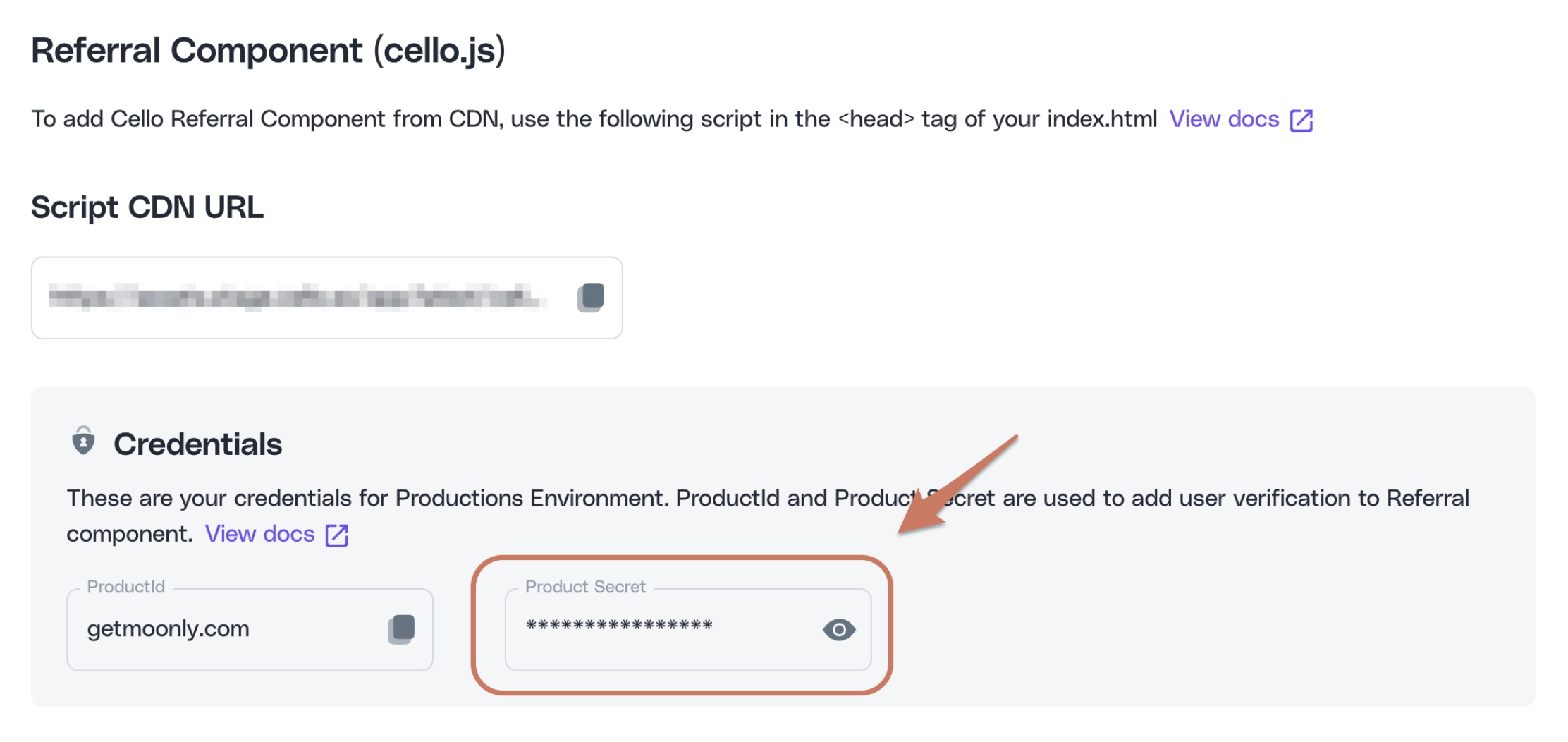
You will require both a productId and PRODUCT_SECRET to generate tokens for your users. You can obtain these in your Cello Portal.
Generating the token
JWT community has all the resources you need to understand and set up server-side token generation for secure authorization.
Never generate a token or store your secret on the client side
For Cello valid token generation, you would need:
Your Cello credentials
productIdandPRODUCT_SECRETobtained in the previous stepYour token signing library for your tech stack of choice. A good variety can be found in JWT community
Regardless of the signing library you choose, make sure you use the HS512 signing algorithm:
Constructing your payload
You can use any available JWT token generating library. Below is example content of the minted token. Note that some libraries will not produce iat if not specified in request, while others will use current time for it.
Token content attributes:
Name | Type | Description | Required |
|---|---|---|---|
| string | Identifier of the product your users will refer. You can obtain this in your Cello Portal. | Required |
| string | Your user's unique identifier within your system. | Required |
| int | Timestamp when the token was issued. Unix timestamp. Example: | Required |
Example of token generation with JavaScript:
Using the token
Next, provide the token code in the token property when booting the Referral Component.
