
Cello allows you to manage your partners and affiliates to provide them with a full portal experience for accessing their affiliate link, tracking progress on referrals, and getting rewarded for successful referrals. Inviting partners only take a few clicks.
To invite new partners to your program:
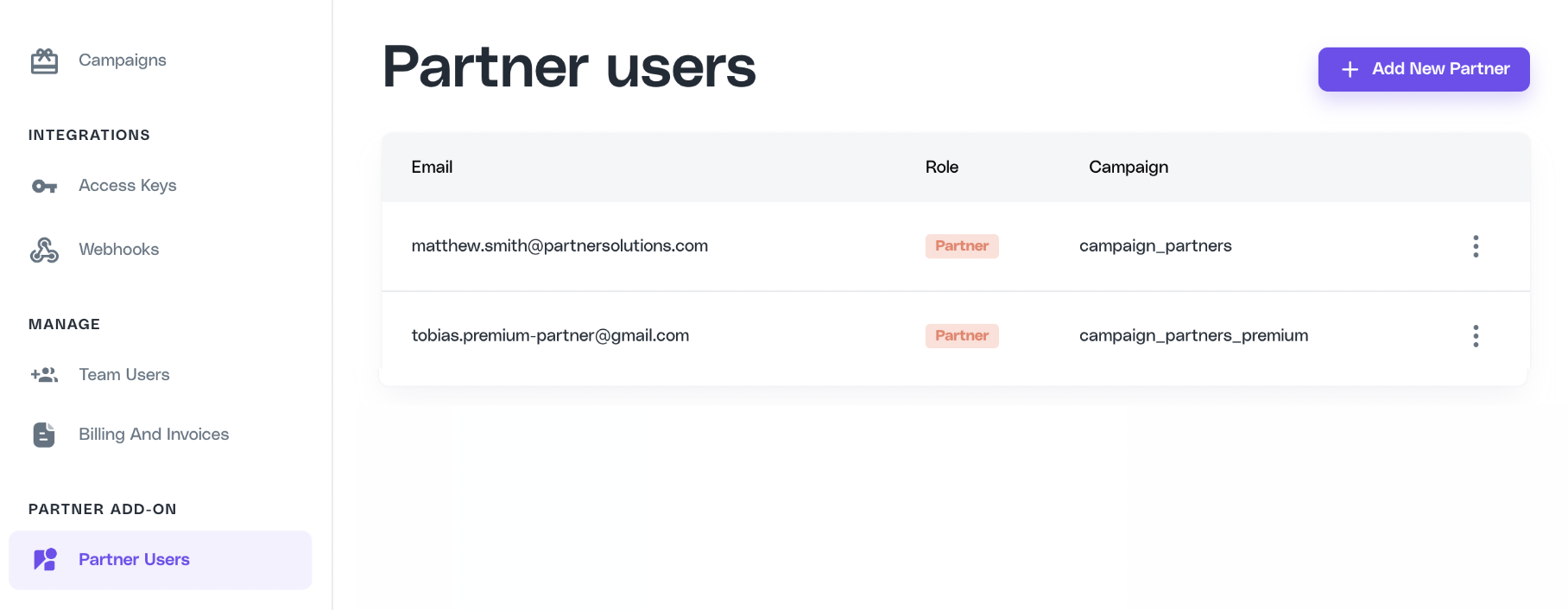
Navigate to the Partner Users page in the Cello Portal click on Add New Partner from the upper right. If you do not see this page, contact Cello support to have additional permissions applied to your account.
Enter the email and campaign you want to assign the partner user. Product User Id is optional and should be added if you want to update an existing user to partner.
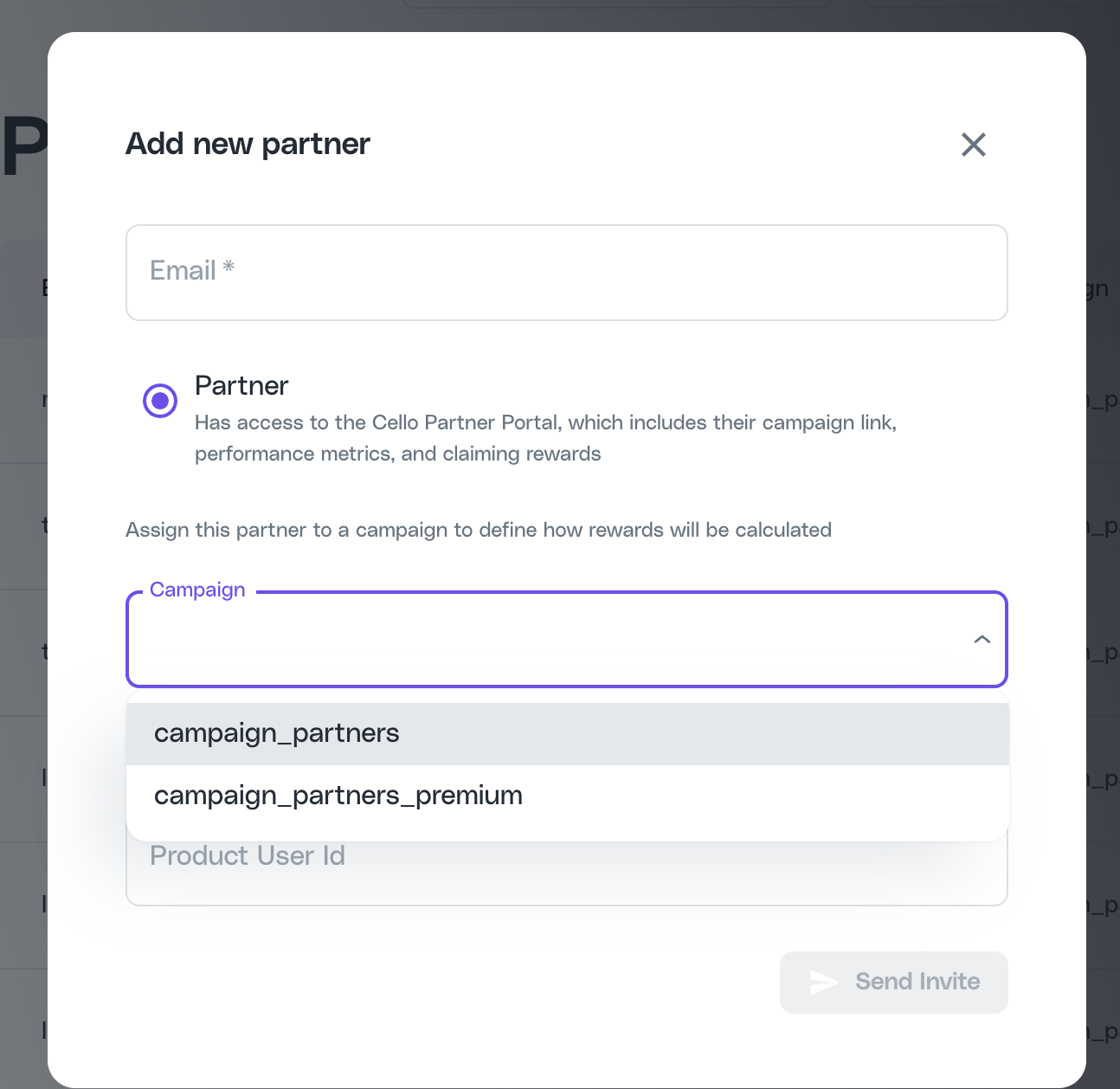
Adding a ProducUserID ensures that the referrer’s UCC will be retained if they are either (1) moving from a user-led campaign to an affiliate one; or (2) moving from an old affiliate campaign to a new one.
If you do not specify the product user Id, Cello automatically creates a new identifier and the user will then have two separate referral links inside your product and in the Cello portal.
Click Send Invite
The Partner User will receive a branded email invitation with instructions to register.
From this email they can click on a link to register in a few clicks, either using Sign Up with Google or optionally registering by providing an email and password. (Note that if a user signs up using email they can then later use Google to sign in with the same email)