
Connect attribution

This guide walks you through the steps required to attribute referrals and includes:

Stripe or Chargebee payment gateway

If your payment gateway is Stripe or Chargebee, use the following guides with Webhook integration

Attribution with Stripe

Attribution with Chargebee

1. Track conversions on your landing page

Add Attribution library to your Home page by including the following script in the <head> tag to track attributions and show New user banner.

<script type="module" src="https://assets.cello.so/attribution/latest/cello-attribution.js" async></script>

2. Track signups

When a signup finally happens, you need to make sure that a ucc code, identifying the referrer, is saved to the new user record and passed to Stripe upon customer creation.

Access Ucc code during signup

Ucc is present in the URL of your Home page when a new user is redirected to it from the invite link and in the cookies, added by the Attribution library.

https://getmoonly.com/request-demo?ucc=UPobYBDuu0N&productId=getmoonly.com

To access the ucc during signup, you can use the Attribution library JS method getUcc().

Here is how to do it:

  • Add the following javascript code before any of the calls to the library to avoid race conditions.

window.CelloAttribution=window.CelloAttribution||async function(t,...o){if("getReferral"===t)throw new Error("getReferral is not supported in this context. Use getUcc instead.");let e,n;const i=new Promise((t,o)=>(e=t,n=o));return(window.CelloAttributionCmd=window.CelloAttributionCmd||[]).push({command:t,args:o,resolve:e,reject:n}),i};
// if in async function const ucc = await window.CelloAttribution('getUcc'); // otherwise window.CelloAttribution('getUcc').then((result) => { const ucc = result; })

Next save the ucc to your user record. You will need it in next step when you send Cello referral update events.

Can your users signup in your mobile app?

To make sure your referrers get rewarded when a new user signs up in the mobile app, follow this guide on Mobile attribution to track mobile app signups.

3. Connect Cello API

You can interact with the Cello API through HTTP requests from any language. Cello API provides 3 endpoints: Events to report and push (generic) events directly to Cello, Referral Codes to validate referral code (UCC) and Active link to retrieve an active referral code (UCC) and invite link for your user.

Domain base URL's

Use the Domain base URL that corresponds with the environment.

Endpoint URL

Environment

https://api.sandbox.cello.so/

Sandbox

https://api.cello.so/

Prod

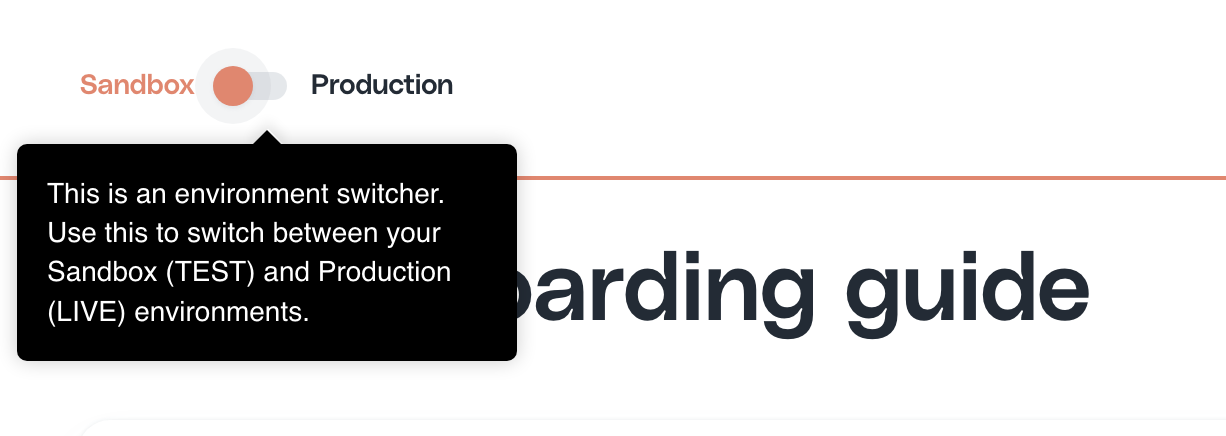
💡 Switch environments in the Portal using a switch to get the credentials

Authentication

To use the Cello API, you need to authenticate the request using an accessToken which is passed in the Authorization request header.

To obtain them you will need accessKeyId & secretAccessKey which you can get from your product dashboard on Access Keys page.
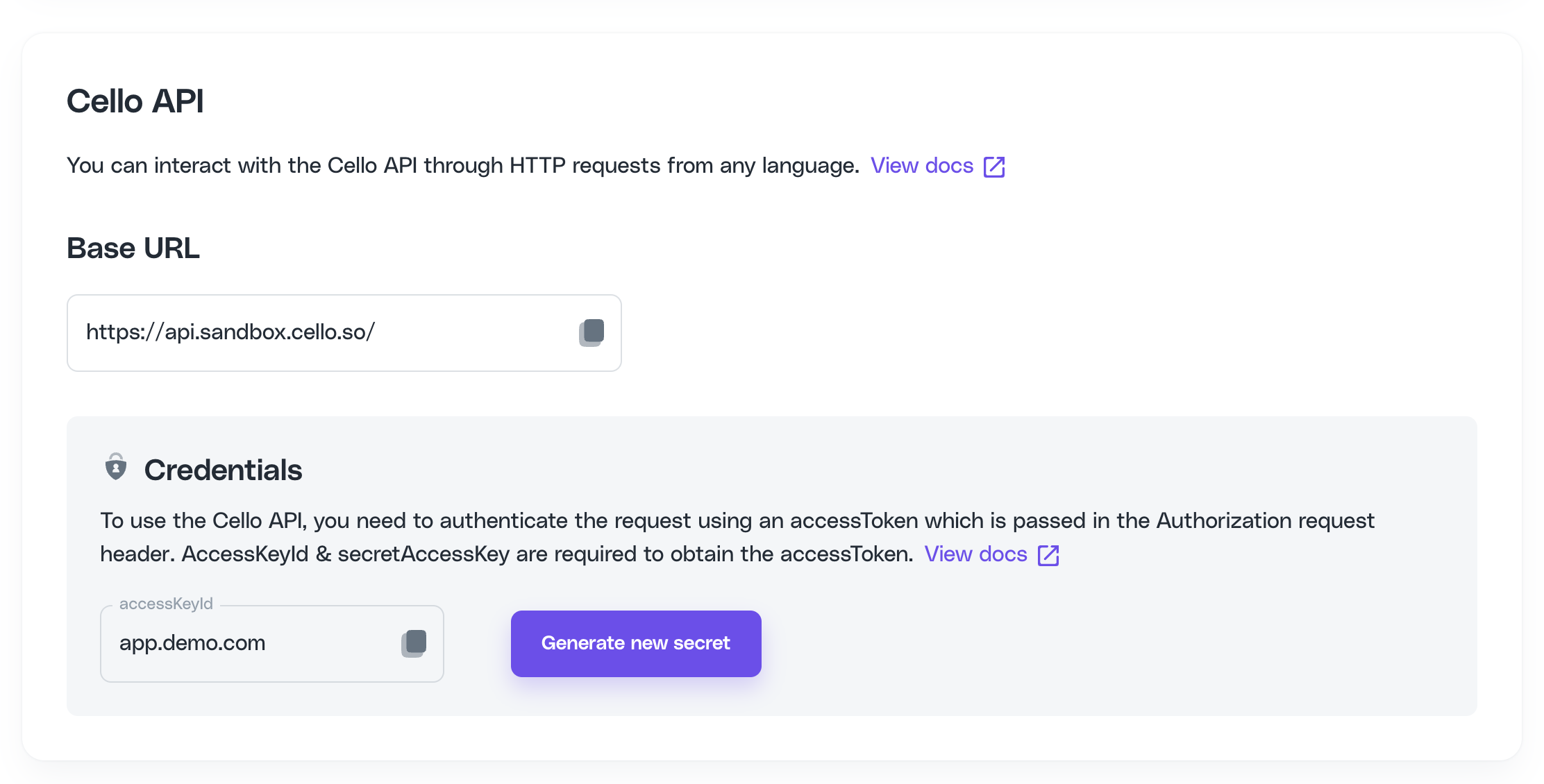

The value of expiresIn specifies after how many seconds the token expires.

Obtain accessToken & refreshToken

curl -X POST https://api.cello.so/token \ -H "Content-Type: application/json" \ -d '{ "accessKeyId": "<accessKeyId>", "secretAccessKey": "<secretAccessKey>" }' { "accessToken": "<accessToken>", "expiresIn": 18000, // specifies after how many seconds the token expires "refreshToken": "<refreshToken>" } Status Code 201

Refresh accessToken

curl -X POST https://api.cello.so/token \ -H "Content-Type: application/json" \ -d '{ "refreshToken": "<refreshToken>" }' { "accessToken": "<accessToken>", "expiresIn": 18000 // specifies after how many seconds the token expires } Status Code 201

Make sure that all requests contain Authorization: Bearer <accessToken> header and Content-Type: application/json

4. Send referral update events

This Cello API provides a way to report and push (generic) events directly to Cello. Currently Cello supports manual reporting via exports and direct integration to Stripe via a an webhook endpoint. For all other use cases you can use our Events endpoint.

Use cases:

  • New user signs up for your product based on a referral link.

  • New user schedules a demo call based on a referral link.

  • New user buys a subscription directly after the signup or after he or she tested the product.

  • New user cancels his or her subscription.

  • New user adds new seats to his or her active plan.

Example Requests and Flows

Pick your flow

Based on your business model and signup flow, you need to provide Cello with certain events. You will find a couple of common use cases in the tab menu underneath. If they don't fit your needs, feel free to reach out to our support and discuss a custom flow.

Attribution based on organization level

If the buying persona is the organization and you want to attribute purchases on the organization level always provide the ID of the organization in the parameter payload.newUserId.

If you have a standard subscription model with monthly, yearly or biennial, intervals you should provide Cello with the following events:

new-signup - The new user signs up

POST https://api.cello.so/events { "eventName": "ReferralUpdated", "payload": { "ucc": "cello-ucc", "newUserId": "new-user-product-user-id", // or 'new-user-organization-id' "price": 0, "currency": "" }, "context": { "newUser": { "id": "new-user-product-user-id", "email": "new_user@gmail.com", "name": "New user name", "organizationId": "new-user-organization-id" }, "event": { "trigger": "new-signup", "timestamp": "2022-10-05 14:14:34" } } }

invoice-paid - every time a transaction based on the provided subscription is successful an invoice-paid event should be reported to Cello.

POST https://api.cello.so/events { "eventName": "ReferralUpdated", "payload": { "ucc": "cello-ucc", "newUserId": "new-user-product-user-id", // or 'new-user-organization-id' "price": 100, "currency": "EUR" }, "context": { "newUser": { "id": "new-user-product-user-id" "email": "new-user@gmail.com", "organizationId": "new-user-organization-id" }, "event": { "trigger": "invoice-paid" "timestamp": "2022-10-05 14:14:34" }, "subscription": { "id": "845739hjsd8342i34", "invoiceId": "34hsjdh34jfksd", "interval": "monthly", "seatsUsed": 5, "productKey": "Pro Plan" } } }

charge-refunded - the payment of the new user got refunded.

POST https://api.cello.so/events { "eventName": "ReferralUpdated", "payload": { "ucc": "cello-ucc", "newUserId": "new-user-product-user-id", // or 'new-user-organization-id' "price": 1000, "currency": "EUR" }, "context": { "newUser": { "id": "new-user-product-user-id" "email": "new-user@gmail.com", "organizationId": "new-user-organization-id" }, "event": { "trigger": "charge-refunded" "timestamp": "2022-10-05 14:14:34" }, "subscription": { "id": "845739hjsd8342i34", "invoiceId": "34hsjdh34jfksd" } } }

If you have a flow where the new user first schedules a demo, you should provide Cello with the following event.

demo-call-attended - the new user books a demo call to get in touch with you.

POST https://api.cello.so/events { "eventName": "ReferralUpdated", "payload": { "ucc": "cello-ucc", "newUserId": "product-user-id" // or 'new-user-organization-id' }, "context": { "newUser": { "id": "new-user-product-user-id", "email": "new_user@gmail.com", "name": "New user name", "organizationId": "new-user-organization-id" }, "event": { "trigger": "demo-call-attended", "timestamp": "2022-10-05 14:14:34" } } }

If you have a business model where a user buys licenses or triggers a one-time payment you should implement the following events:

new-signup - new user signs up for your product

POST https://api.cello.so/events { "eventName": "ReferralUpdated", "payload": { "ucc": "cello-ucc", "newUserId": "new-user-product-user-id", // or 'new-user-organization-id' "price": 0, "currency": "" }, "context": { "newUser": { "id": "new-user-product-user-id", "email": "new_user@gmail.com", "name": "New user name", "organizationId": "new-user-organization-id" }, "event": { "trigger": "new-signup", "timestamp": "2022-10-05 14:14:34" } } }

invoice-paid - every time the new user buys a one-time plan, a license or something similar you should send an invoice-paid event to Cello.

POST https://api.cello.so/events { "eventName": "ReferralUpdated", "payload": { "ucc": "cello-ucc", "newUserId": "new-user-product-user-id", // or 'new-user-organization-id' "price": 100, "currency": "EUR" }, "context": { "newUser": { "id": "new-user-product-user-id", "email": "new-user@gmail.com", "organizationId": "new-user-organization-id" }, "event": { "trigger": "invoice-paid", "timestamp": "2022-10-05 14:14:34" }, "subscription": { "invoiceId": "34hsjdh34jfksd", "interval": "one-time", "productKey": "Pro License" } } }

charge-refunded - the payment of the new user was refunded.

POST https://api.cello.so/events { "eventName": "ReferralUpdated", "payload": { "ucc": "cello-ucc", "newUserId": "new-user-product-user-id", // or 'new-user-organization-id' "price": 1000, "currency": "EUR" }, "context": { "newUser": { "id": "new-user-product-user-id", "email": "new-user@gmail.com", "organizationId": "new-user-organization-id" }, "event": { "trigger": "charge-refunded", "timestamp": "2022-10-05 14:14:34" }, "subscription": { "invoiceId": "34hsjdh34jfksd" } } }